
KS KAIVON · Product 01
KAIVON SENTINEL
A digital security platform for small and medium-sized businesses. It shows the security state of an organization's computers, with evidence for every piece of information.
Status: in development — local prototype, not for sale

01 Overview
Know the real state of your computers.
SENTINEL brings together what an organization knows about the security of its computers: what was checked, when, by which source and whether it changed. What cannot be proven is shown as unknown, never as secure.
Objective: give small and medium-sized businesses a clear and verifiable view of the security of their computers, without technical jargon and without hiding what is unknown.
-
Register computers
Add the organization's computers to the inventory. Every change is kept in the history.
-
Run the collector
A person runs the read-only collector on a Windows computer. It reads ten security checks and saves a file.
-
Import the collection
The file is imported in SENTINEL, which verifies it and records where each result came from.
-
Review and report
Follow alerts, risks and evidence, and generate reports with integrity verification.
02 Interface
Real screens of the prototype.
Captured from the English interface of the local prototype. Select a screen to see it in full size.
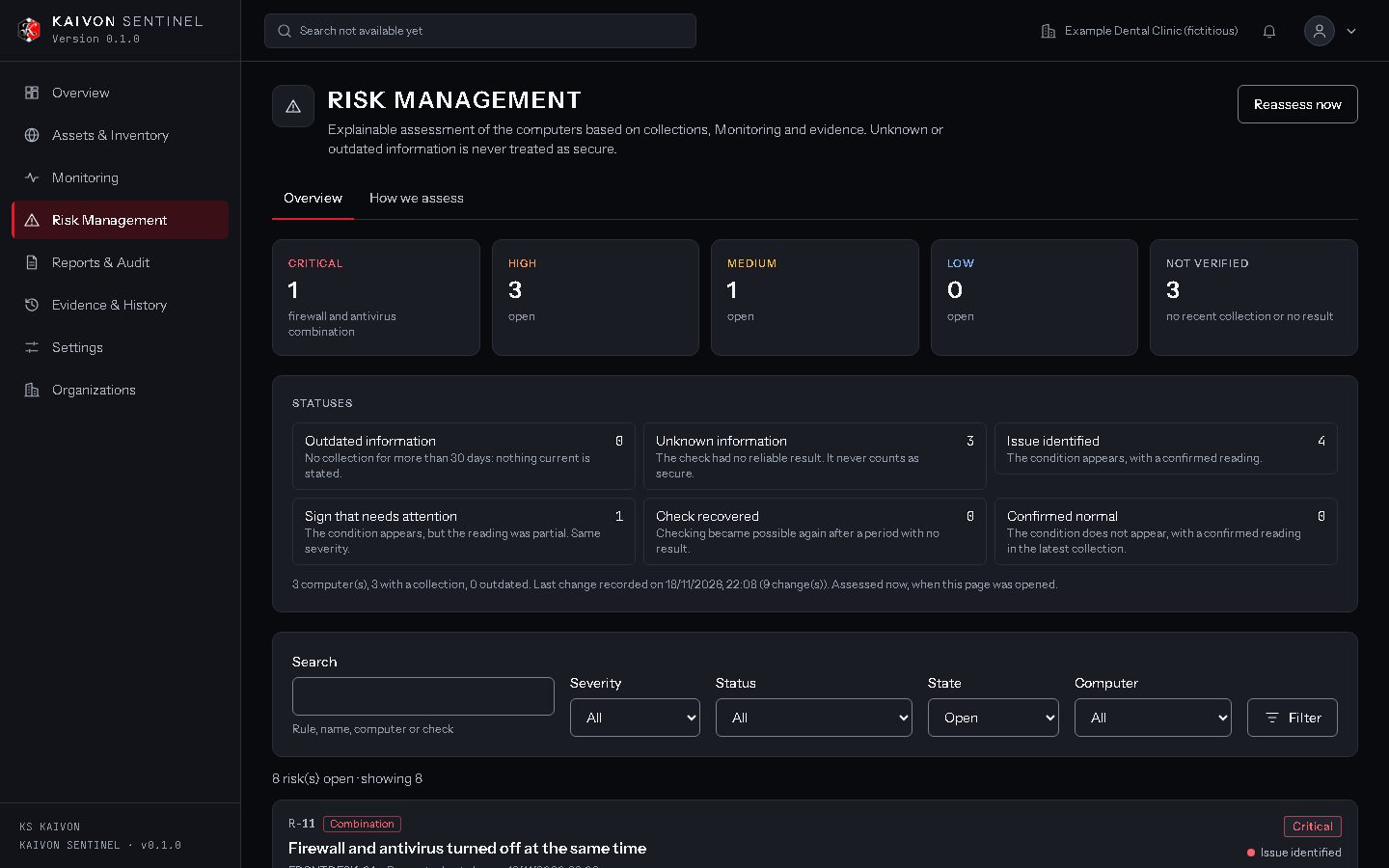
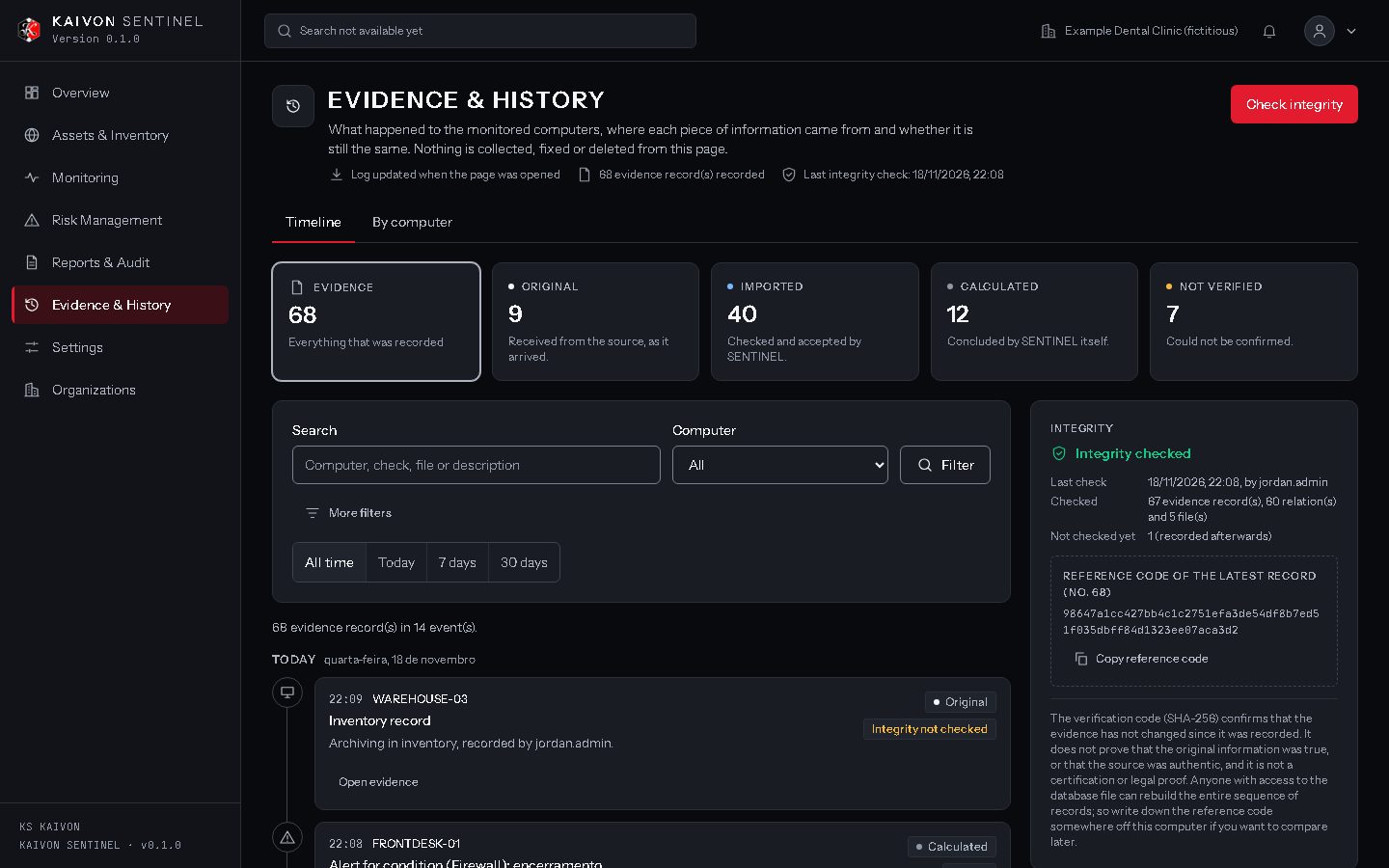
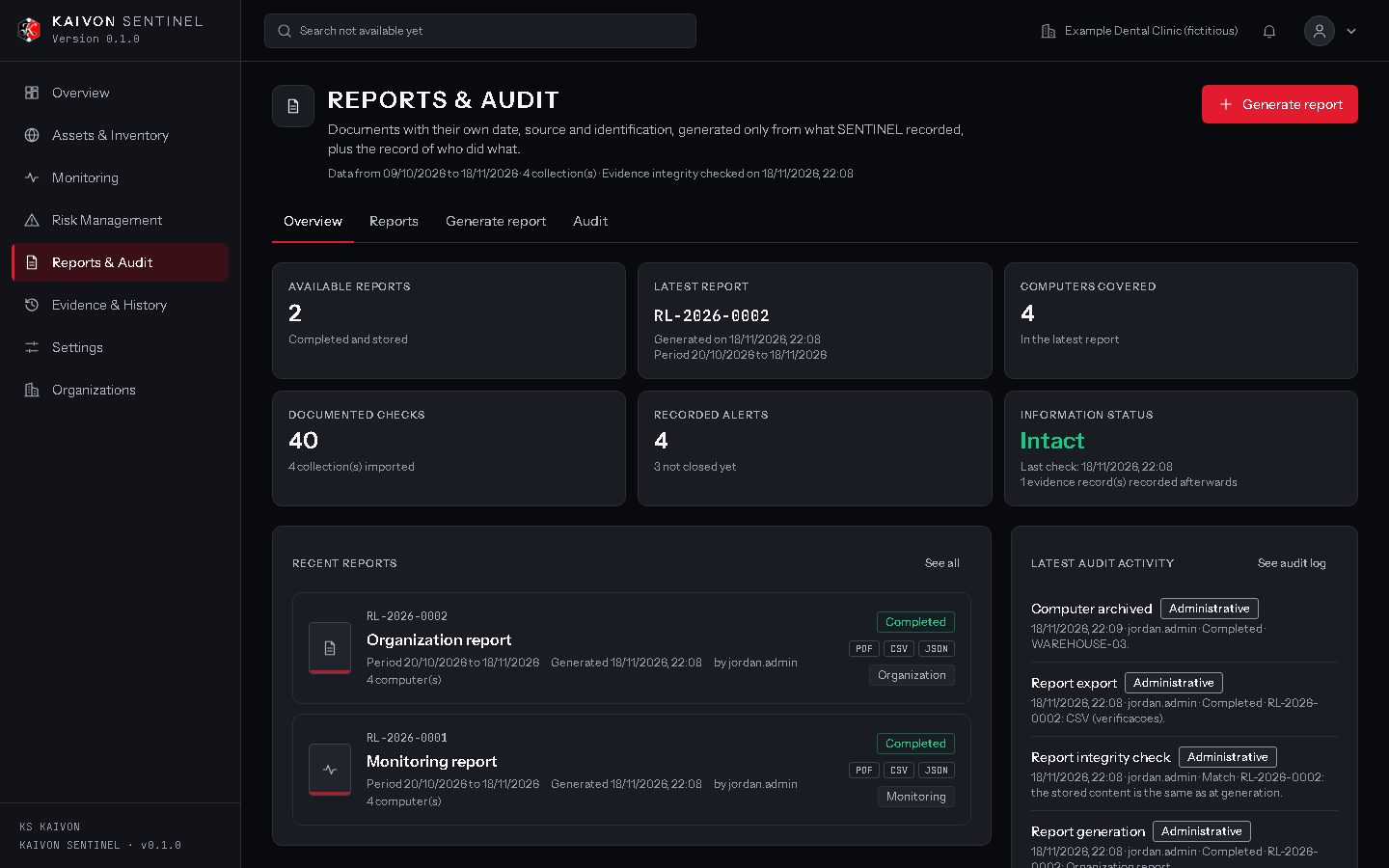
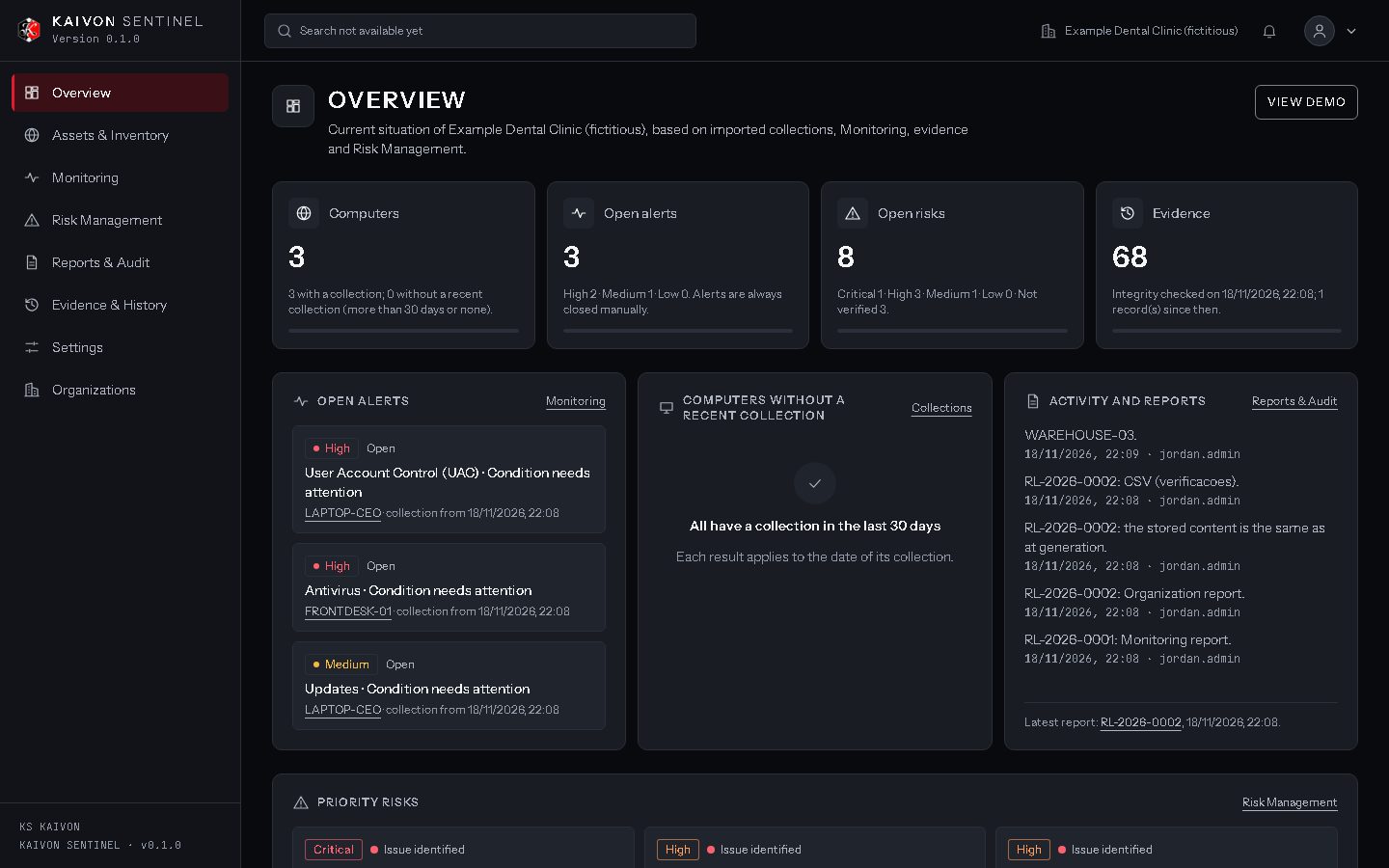
All data in these screens is fictitious test data. "Example Dental Clinic", the computer names and the user names are not real. No real company data was used.
03 Features
What the prototype already does.
-
Secure local access
First-time setup, sign-in, sessions and sign-out, with every page protected by authentication.
-
Computer inventory
Registration of an organization's computers, with a complete history of changes.
-
Read-only Windows collector
Run manually by a person, it reads ten security checks, such as firewall, antivirus, disk encryption and updates, without changing anything.
-
Monitoring and alerts
Imported collections are compared, changes are recorded and alerts are raised. Only a person can close them.
-
Evidence and history
Where each piece of information came from, when it was recorded and whether it is still the same, in a chained history with integrity checks.
-
Risk management
Explainable, rule-based risks with severity, status, history and the evidence behind each one. No opaque score.
-
Reports and audit
Six report types with preview, print or save as PDF, CSV and JSON export, integrity verification and an audit trail.
-
Backup and recovery
A maintenance tool with diagnostics, verified local backups and guided restoration with preview and confirmation.
04 Security & privacy
Designed to observe, not to control.
SENTINEL reads and records. It does not send commands to computers, does not change their settings and does not depend on external services.
How it protects your information
- Runs locallyThe prototype runs on the computer where it is installed and answers only at 127.0.0.1. Nothing is sent to KS KAIVON.
- Authentication on every pageSessions, protected pages and a Content Security Policy in the interface.
- Read-only collector, without networkIt opens no ports, sends no data and receives no commands. It never elevates its own permissions.
- Verifiable historyEvidence and risk history are chained with SHA-256 and can be checked for integrity at any time.
- Minimal dataThe collector reads security settings, not personal files or browsing activity.
Known limitations today
- Local copies onlyBackups stay on the same disk; there is no off-site copy yet.
- Unsigned collectionsA collection's hash shows it has not changed, but does not prove its origin.
- One user per installationNo additional users, roles or password reset from the screen yet.
- Manual collectionNo continuous monitoring and no notifications outside the screen.
05 Platforms & availability
Windows first. Android next.
Availability is shown exactly as it is. No installer and no store link will be offered until they exist and have been validated.
-
First launch platform In development
KAIVON SENTINEL for Windows
Windows is the first platform. Today SENTINEL runs on Windows 11 as a local prototype that still requires technical setup. The download will be enabled only when a validated installer exists.
Not available yet: no validated installer.
-
Second planned platform Coming soon
KAIVON SENTINEL for Android
Android is planned as the second platform, with distribution intended through the Google Play Store. There is no Android app or store listing yet.
Coming soon: not yet published on Google Play.
Tested compatibility
| Environment | Status | Notes |
|---|---|---|
| Windows 11 | Tested | Local prototype and collector, tested on Windows 11 Pro. |
| Microsoft Edge and Google Chrome | Tested | The interface opens in the browser of the computer where SENTINEL is installed. |
| Windows 10 and other versions | Not tested | No compatibility is claimed until tests are done. |
| Android | Not available | Planned as the second platform. |
KAIVON SENTINEL is in development. The capabilities on this page exist in the current local prototype and are verified by automated tests with synthetic data. It is not yet available for purchase, trial or pilot.
06 Access
Sign in to SENTINEL.
Sign-in belongs to the product, not to this website. SENTINEL runs on the computer where it is installed, and its sign-in screen opens there, at 127.0.0.1:3000/entrar. On first use, SENTINEL shows its initial setup instead.
The button below works only on a computer where SENTINEL is installed and running. This website never asks for, receives or stores usernames or passwords.